Not a storage problem. A coordination problem.
Enterprise teams often manage critical documents across fragmented systems, shared drives, email threads, messaging platforms, and outdated document tools. That fragmentation creates duplicate versions, unclear ownership, manual approval processes, poor permission visibility, and weak auditability.
Enterprise document management isn't simply a file-storage problem. It's a coordination problem involving people, permissions, versions, approvals, compliance, ownership, and auditability all at once.
Five structural gaps in how enterprise teams manage documents
Employees waste time searching. Managers struggle to maintain control. Compliance teams lack visibility. Organizations become dependent on fragmented tools and manual processes.
What I directly designed
As the sole Product designer on this project, I owned the process end to end from research framing through interactive prototype.
UX research & problem framing
Framed the core coordination problem behind enterprise document management system: not just file storage, but people, permissions, and process.
Persona definition & user modeling
Defined three role-based archetypes to represent how operational, managerial, and governance users experience the same system differently.
Information architecture
Structured the full navigation model: documents, approvals, version control, team, admin, and integrations into one coherent hierarchy.
Document upload & metadata design
Designed the file-selection-to-completion upload flow, including metadata and classification steps.
Permission & approval workflow design
Designed role-aware permission states and the request → review → approve/reject workflow.
Version control experience
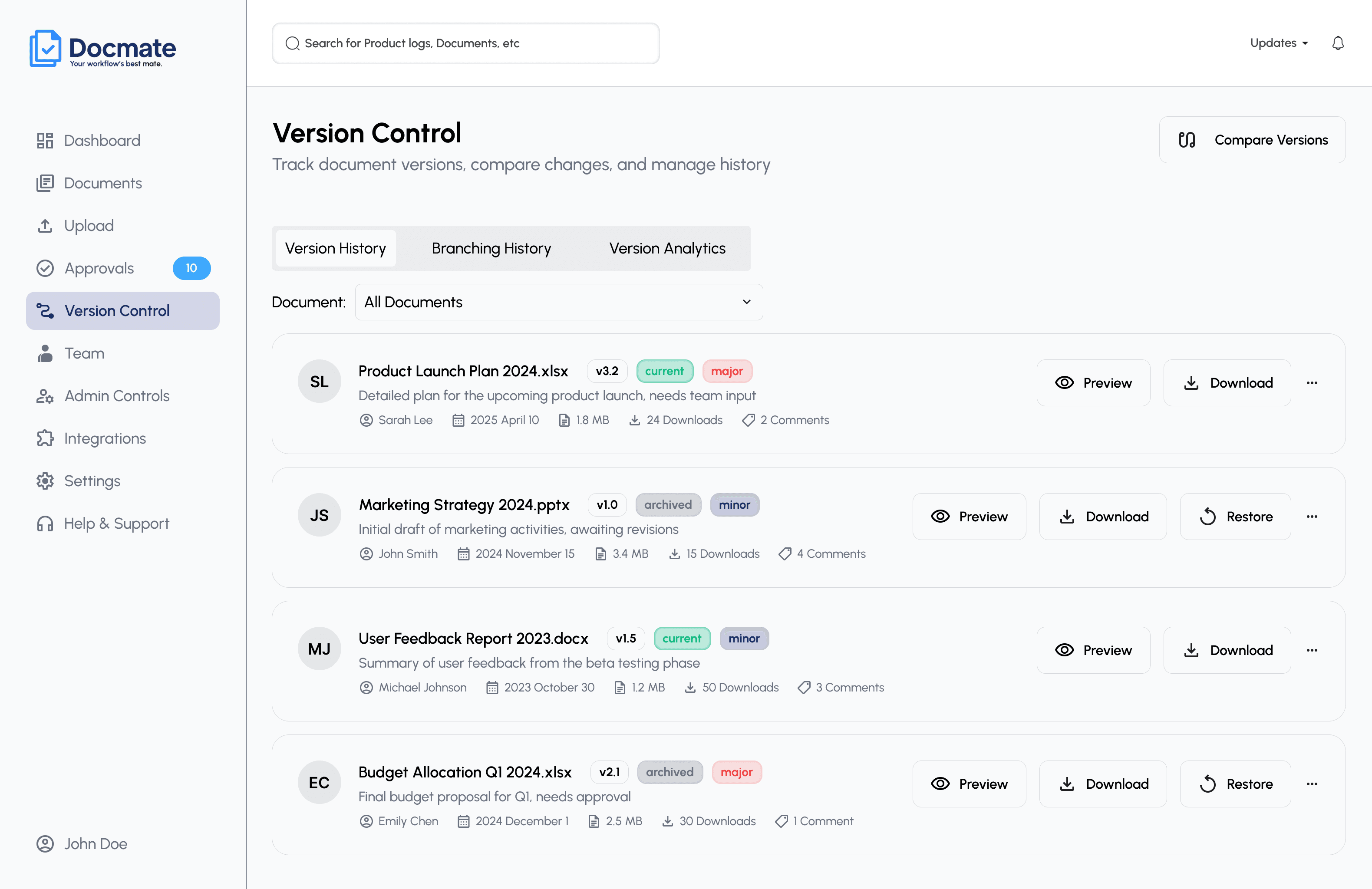
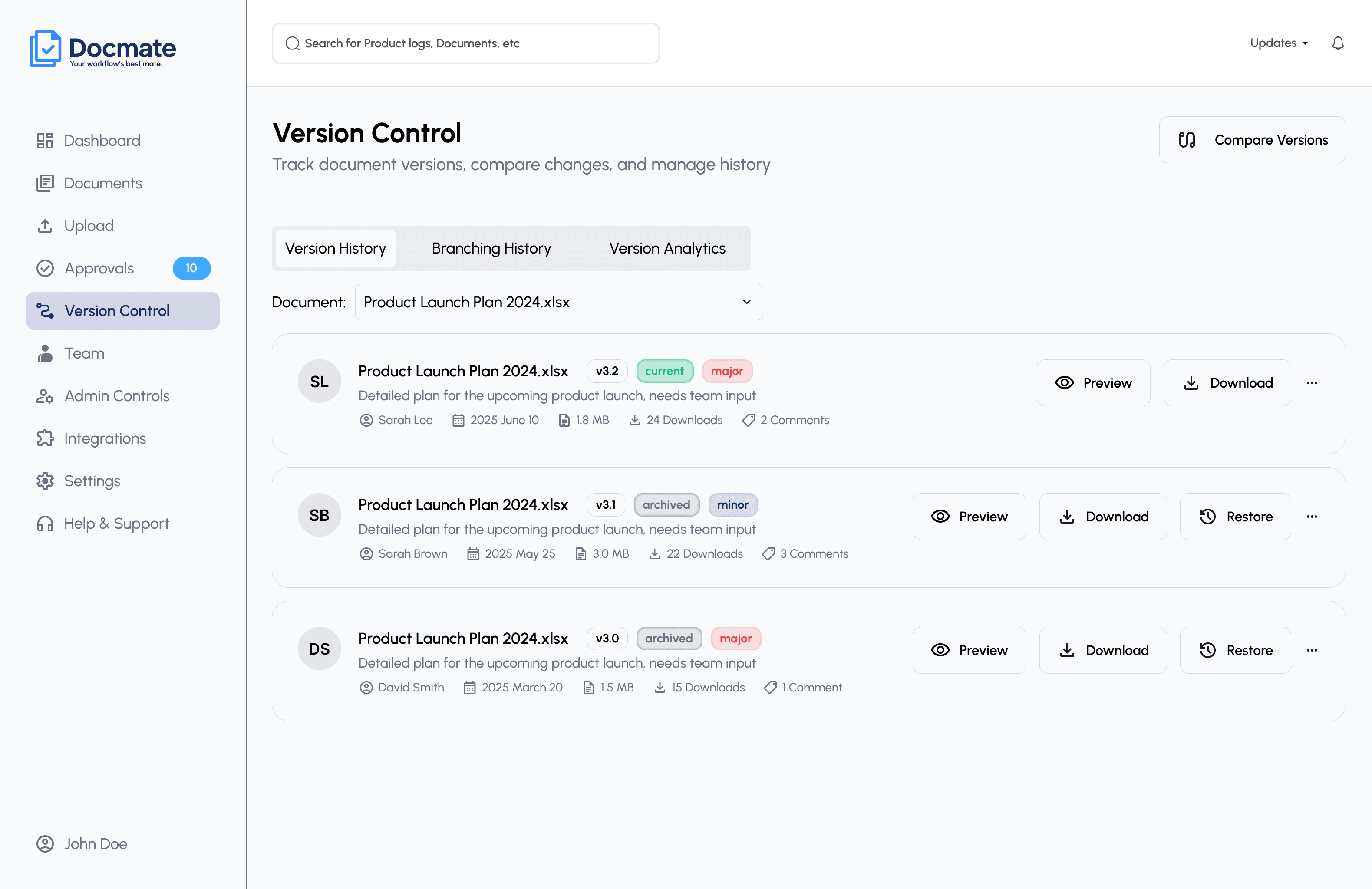
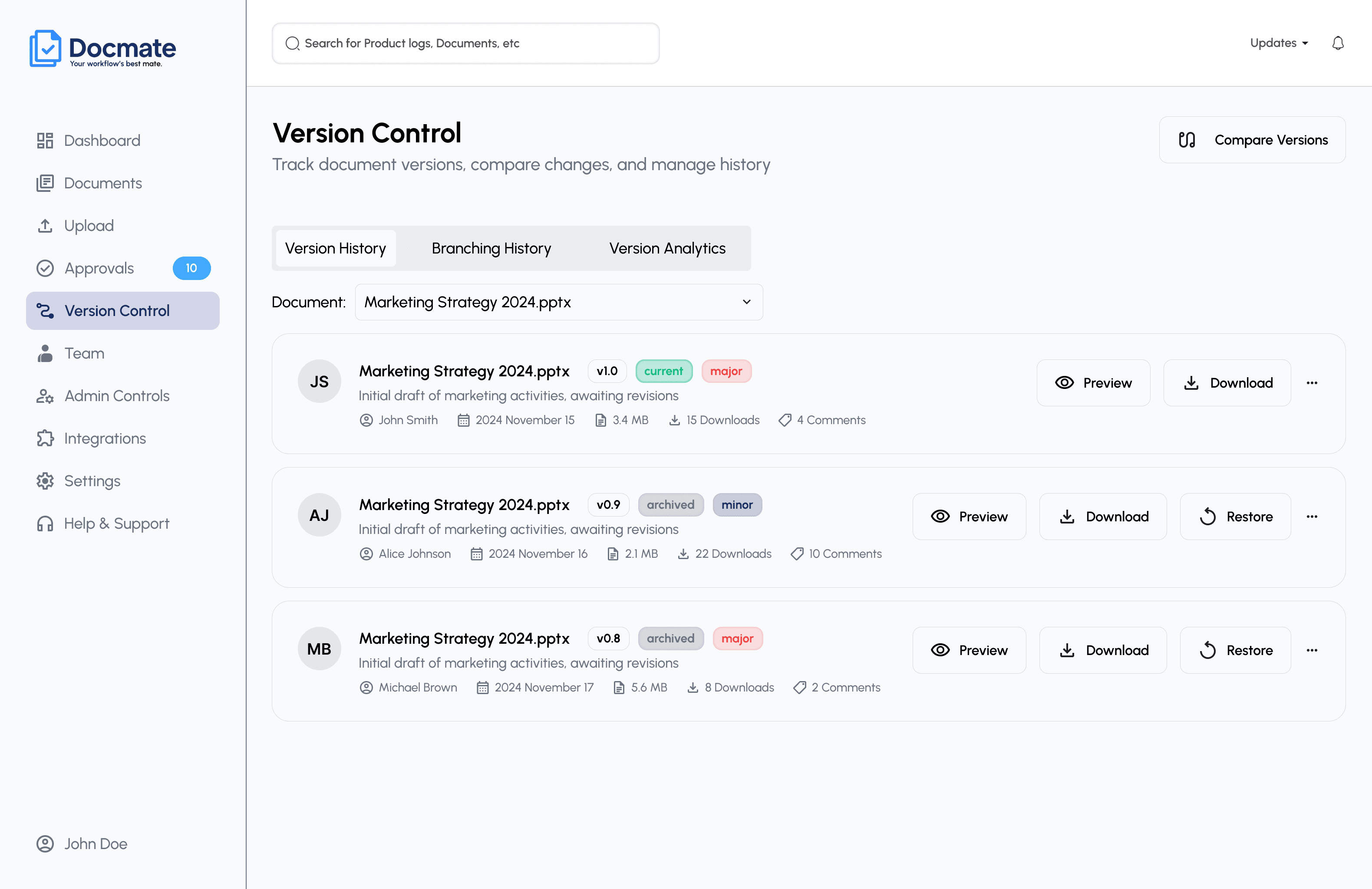
Designed version listing, history, comparison, and branching views for non-technical users.
Team & admin control design
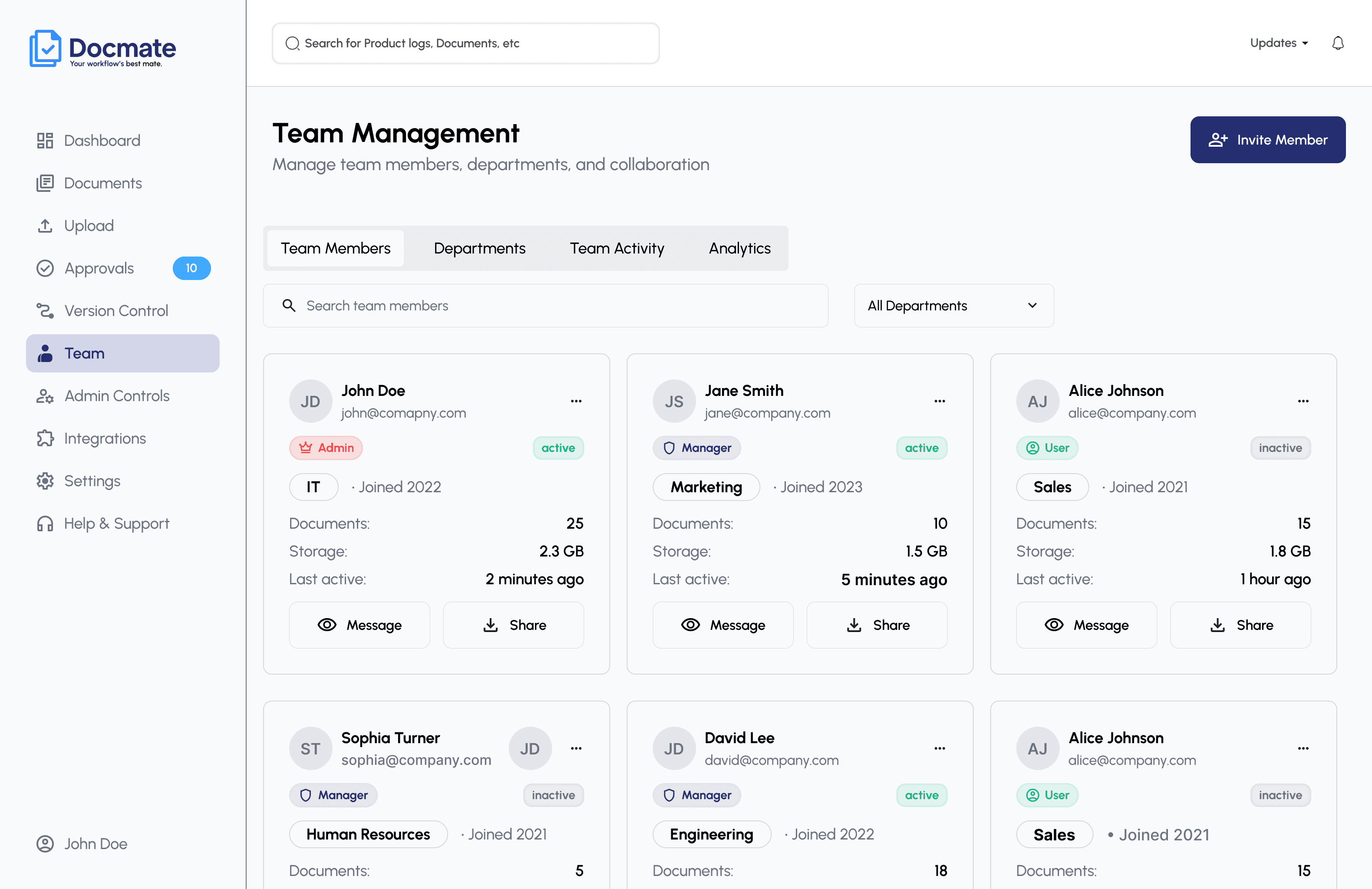
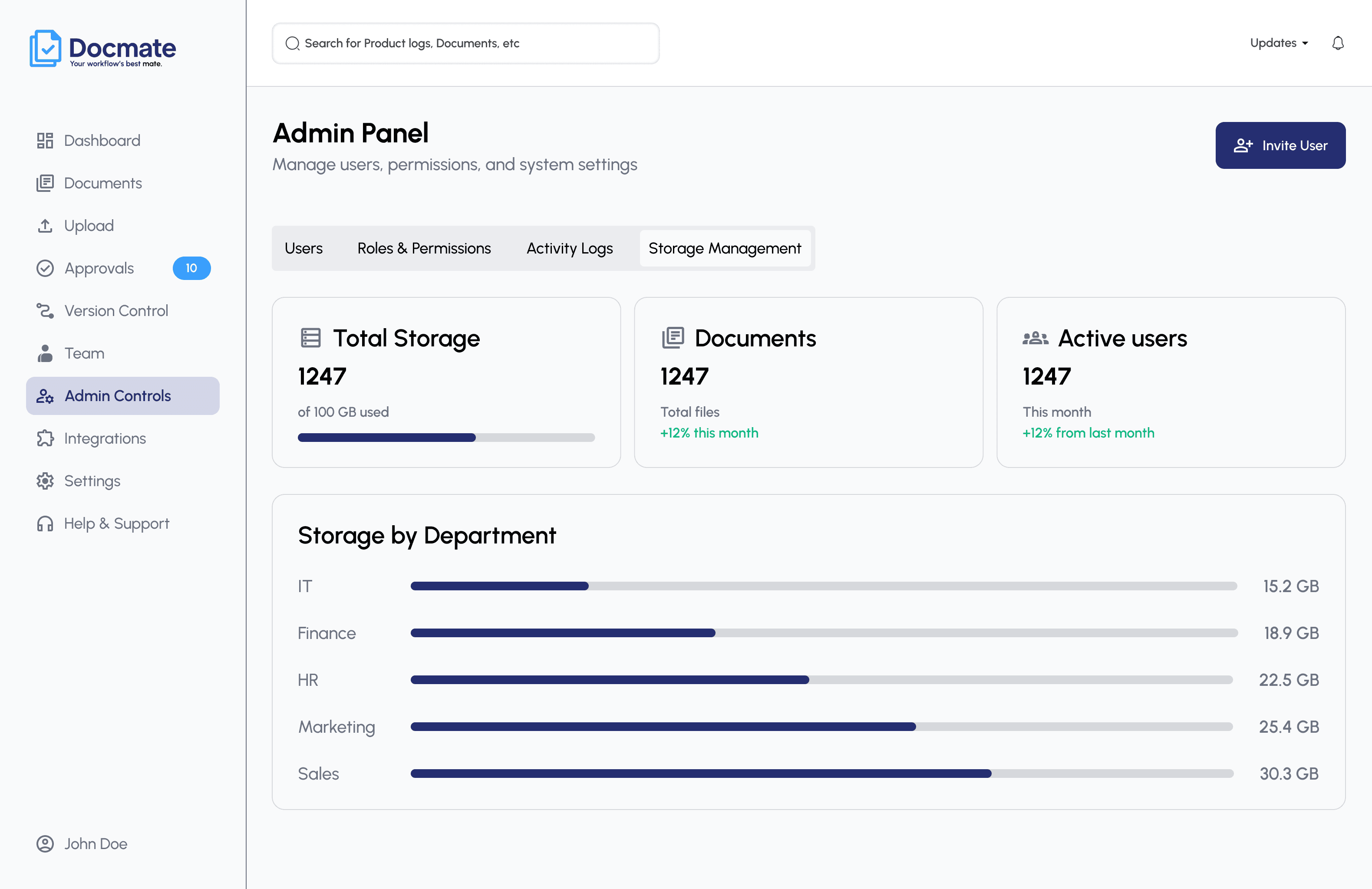
Designed team/department management and the admin panel: users, roles, activity logs, storage.
Integration experience & interaction design
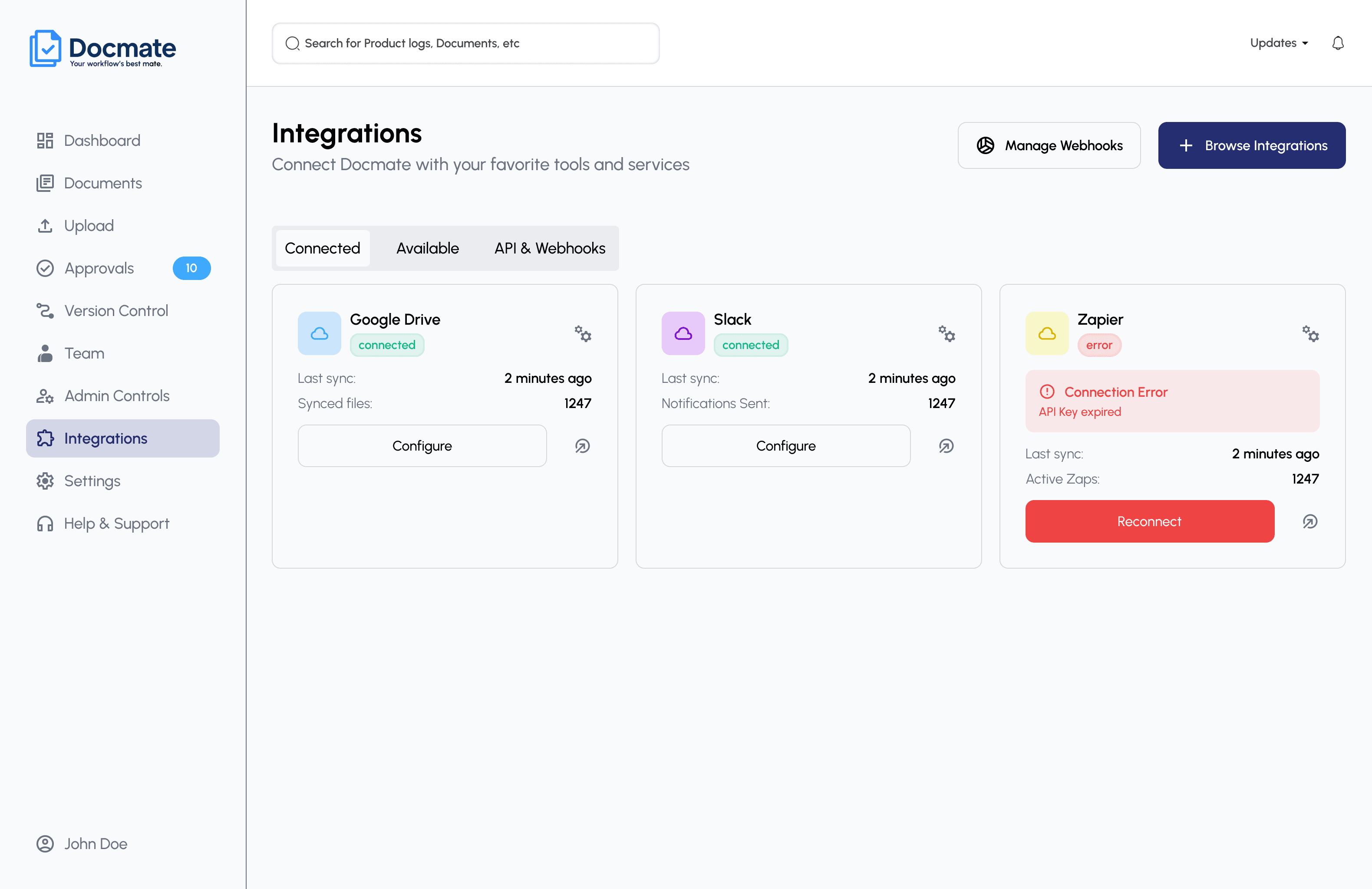
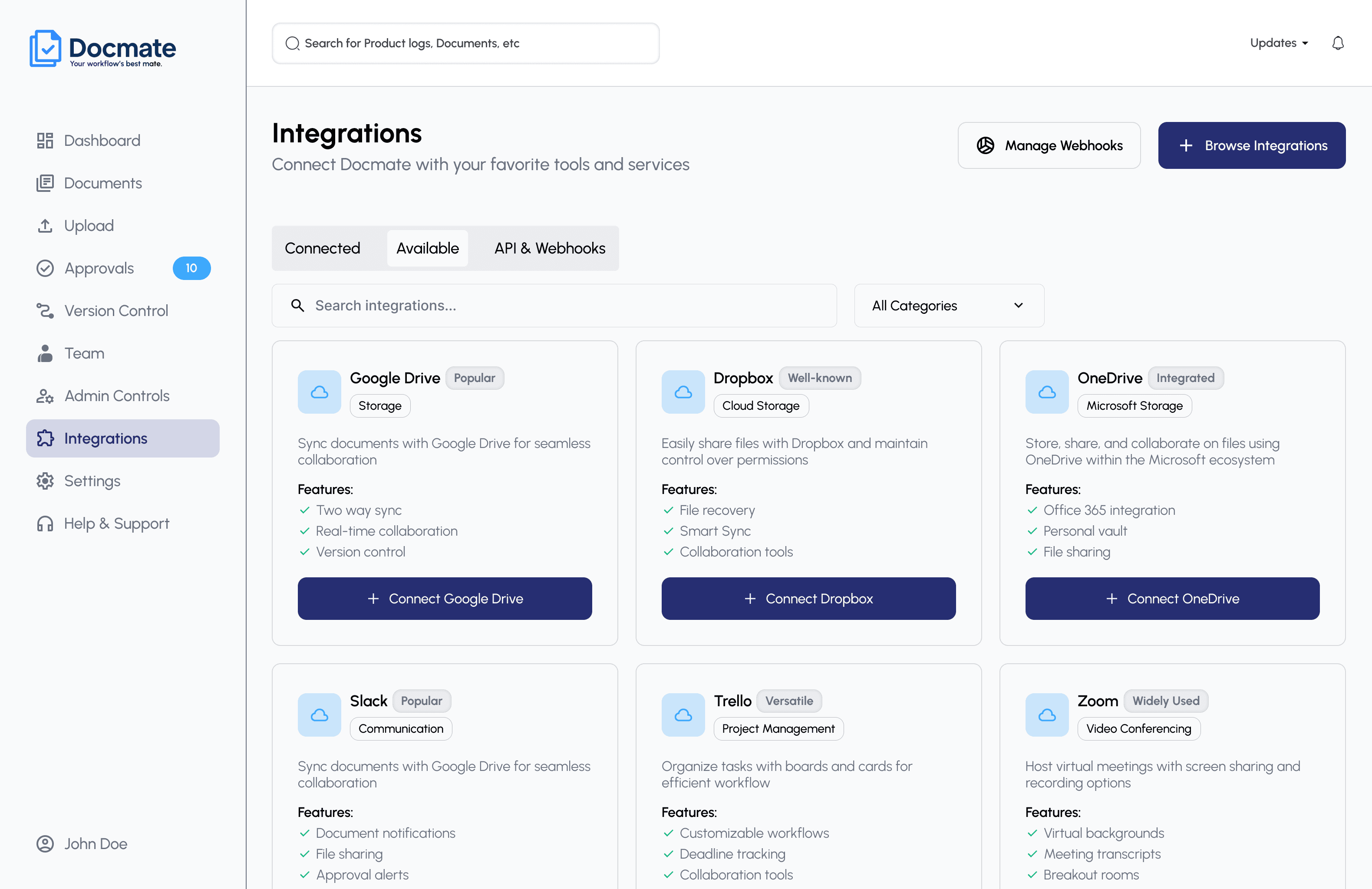
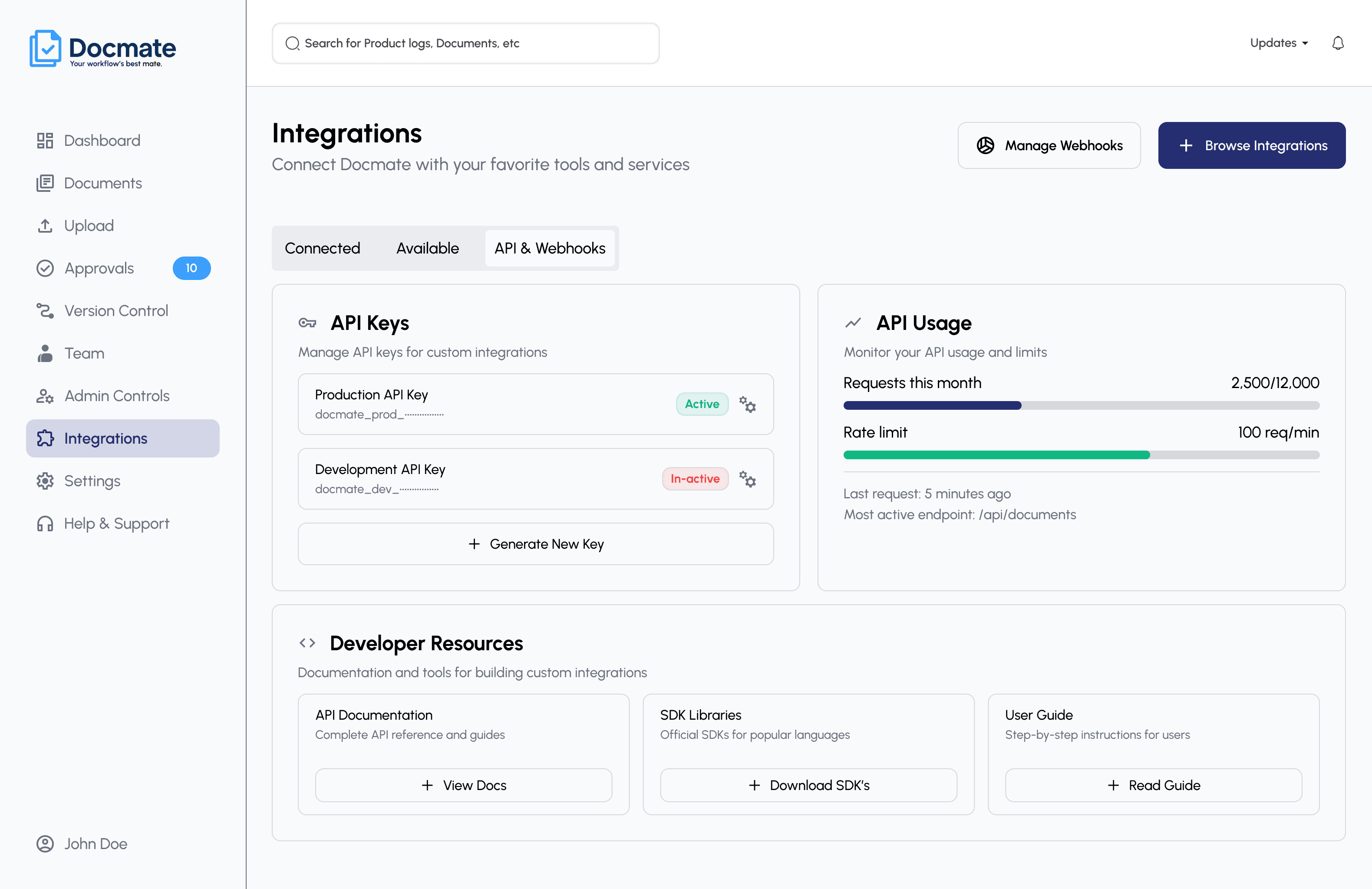
Took the product from wireframes through high-fidelity UI, a reusable component system, and an interactive prototype, including the third-party integrations experience.
Three roles, three levels of system complexity
Rather than long persona bios, these are the role-based archetypes that shaped every workflow decision.
Operations Executive
- Upload documents
- Organize files
- Share files
- Maintain folder structure
- Archive documents
- Repetitive organization
- Duplicate versions
- Limited activity visibility
- Reliance on email or messaging for sharing
Department Manager / HR Manager
- Manage sensitive documents
- Control access
- Track versions
- Prepare for audits
- Manage document lifecycle
- Difficulty identifying latest versions
- Limited renewal alerts
- Folder and naming conflicts
- Dependence on IT for permissions
Compliance or Risk Leader
- Organization-wide oversight
- Retention policies
- Access visibility
- Audit preparation
- Risk monitoring
- Fragmented departmental systems
- Inconsistent classification
- Limited risk visibility
- Weak integration with enterprise systems
Five principles derived from the project
Make document state visible
Users should always understand current version, approval status, ownership, and permissions at a glance.
Progressive complexity
Common actions stay simple. Advanced controls surface only when a user actually needs them.
Permission transparency
Users should always understand who can view, edit, share, or approve a given document.
Build trust through feedback
Sensitive actions such as delete, share, approve, require confirmation, status feedback, and clear microcopy.
Design for enterprise scale
Components and workflows need to hold up across teams, departments, roles, and large document libraries.
Nine modules, one coherent system
The full navigation model, grouped so each area reads as its own module rather than one unreadable tree.
Six connected systems, sharing one set of entities
AsteraDocs isn't one flow; it's several connected systems built on a shared data model. That's what makes the product scale instead of sprawl.
Six workflows, one connected document lifecycle
From upload to approval, version history, permissions, admin control, and integrations.
Document upload & organization
Uploading a document is simple. Preparing it for enterprise use is not. Users need to define context, classification, metadata, access, and ownership before a file becomes a governed enterprise document.
Document approval
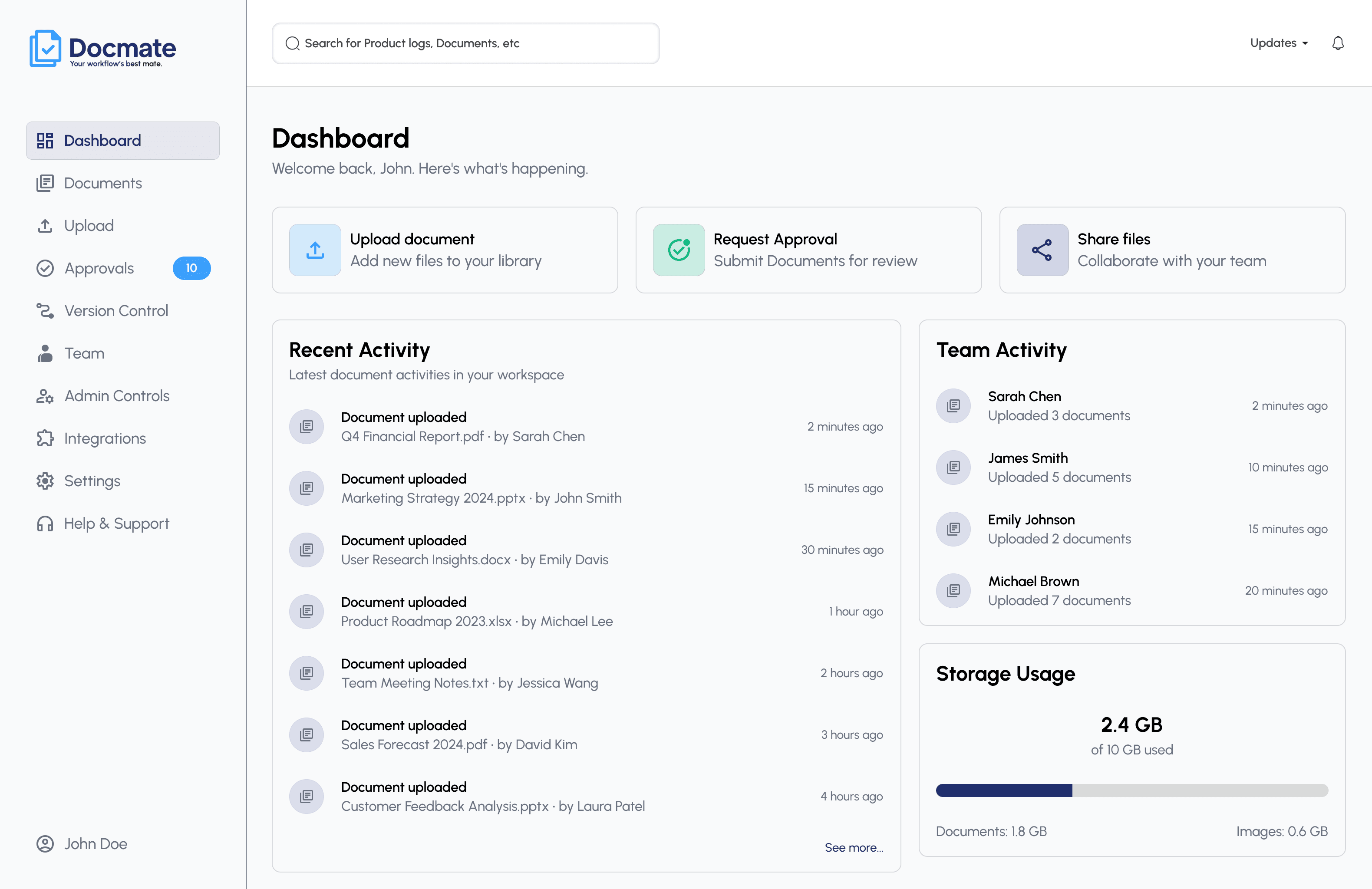
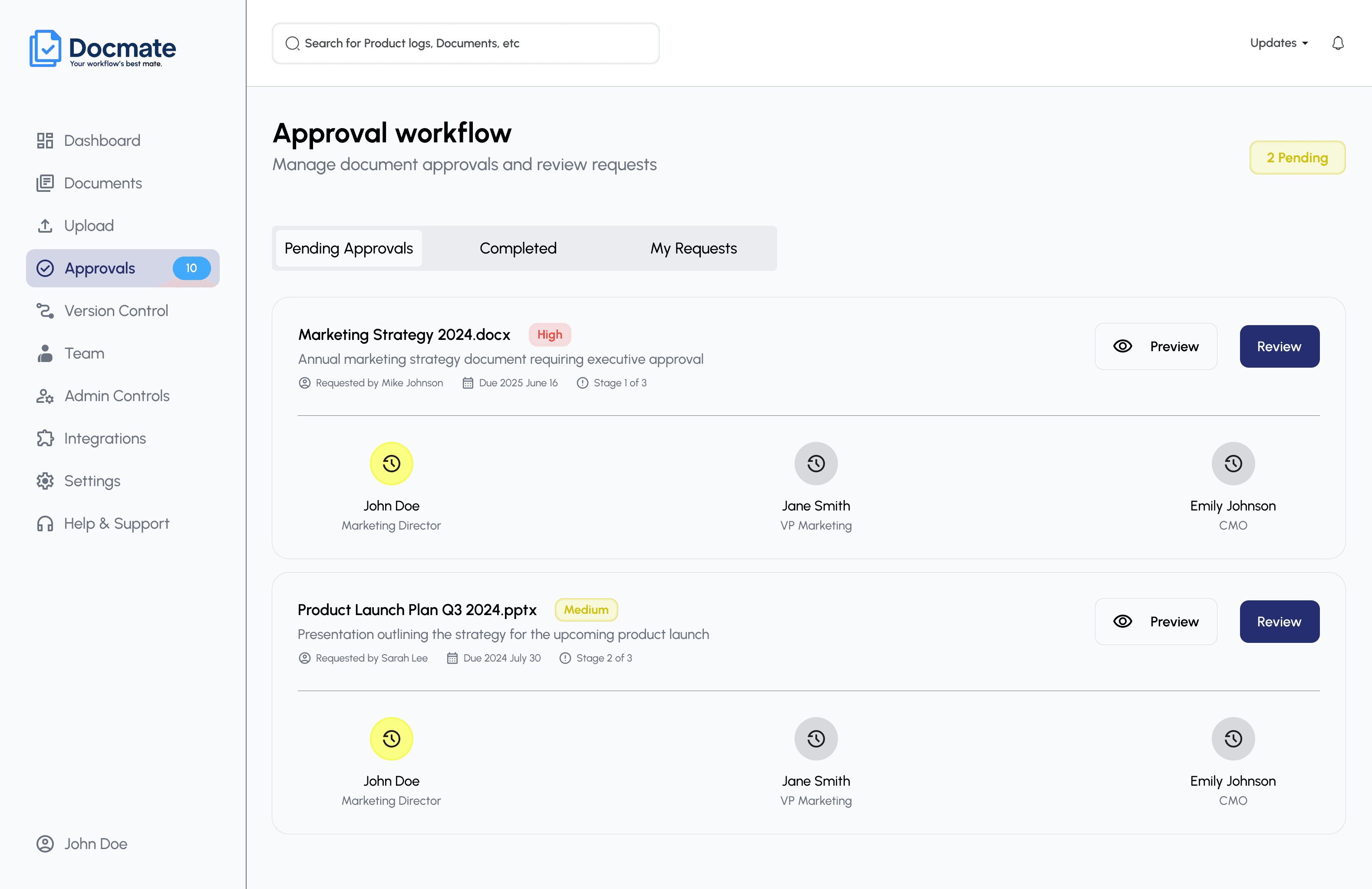
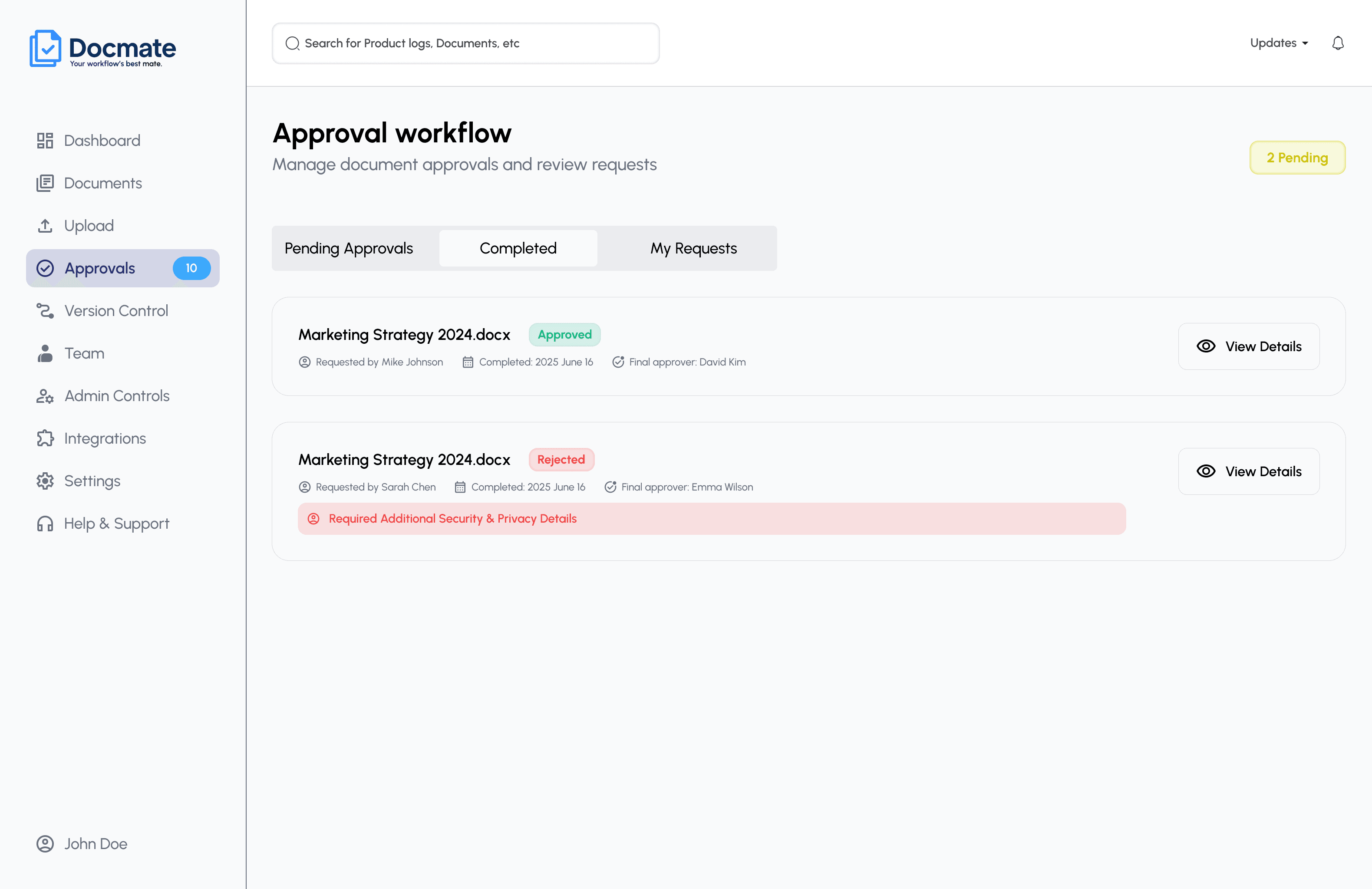
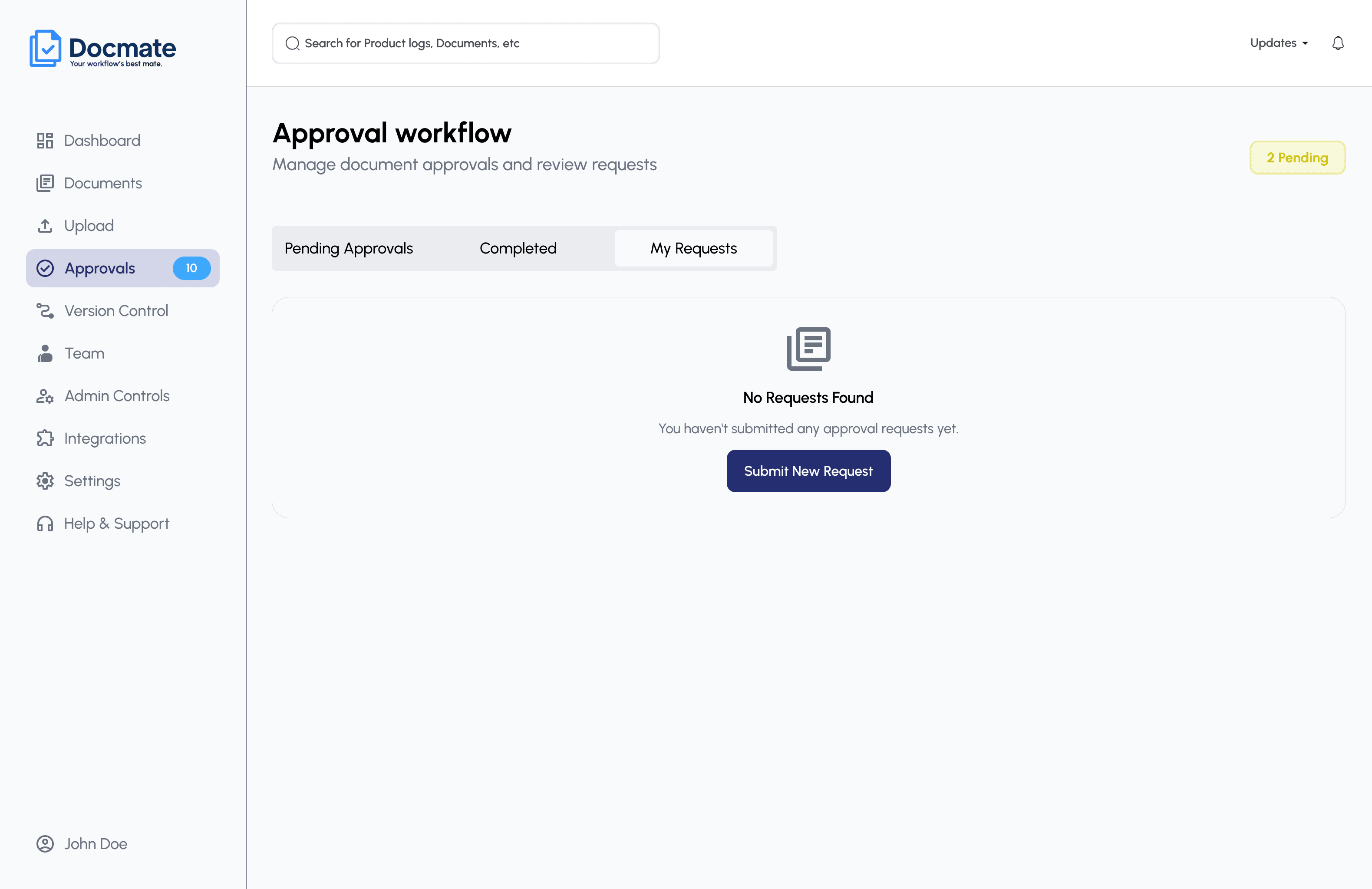
Before AsteraDocs, documents and approval discussions were often fragmented across email, chat, and support tickets, making it hard for teams to maintain visibility into approval progress and decisions. The approval experience brings that into one structured, traceable system, supporting employees submitting documents, managers reviewing them, and admins overseeing the workflow.
Version control
Teams experienced confusion around duplicate document versions and needed clearer visibility into document history and the current version. The experience was designed to make the current document state clear while preserving access to version history, comparison, branching, and analytics.
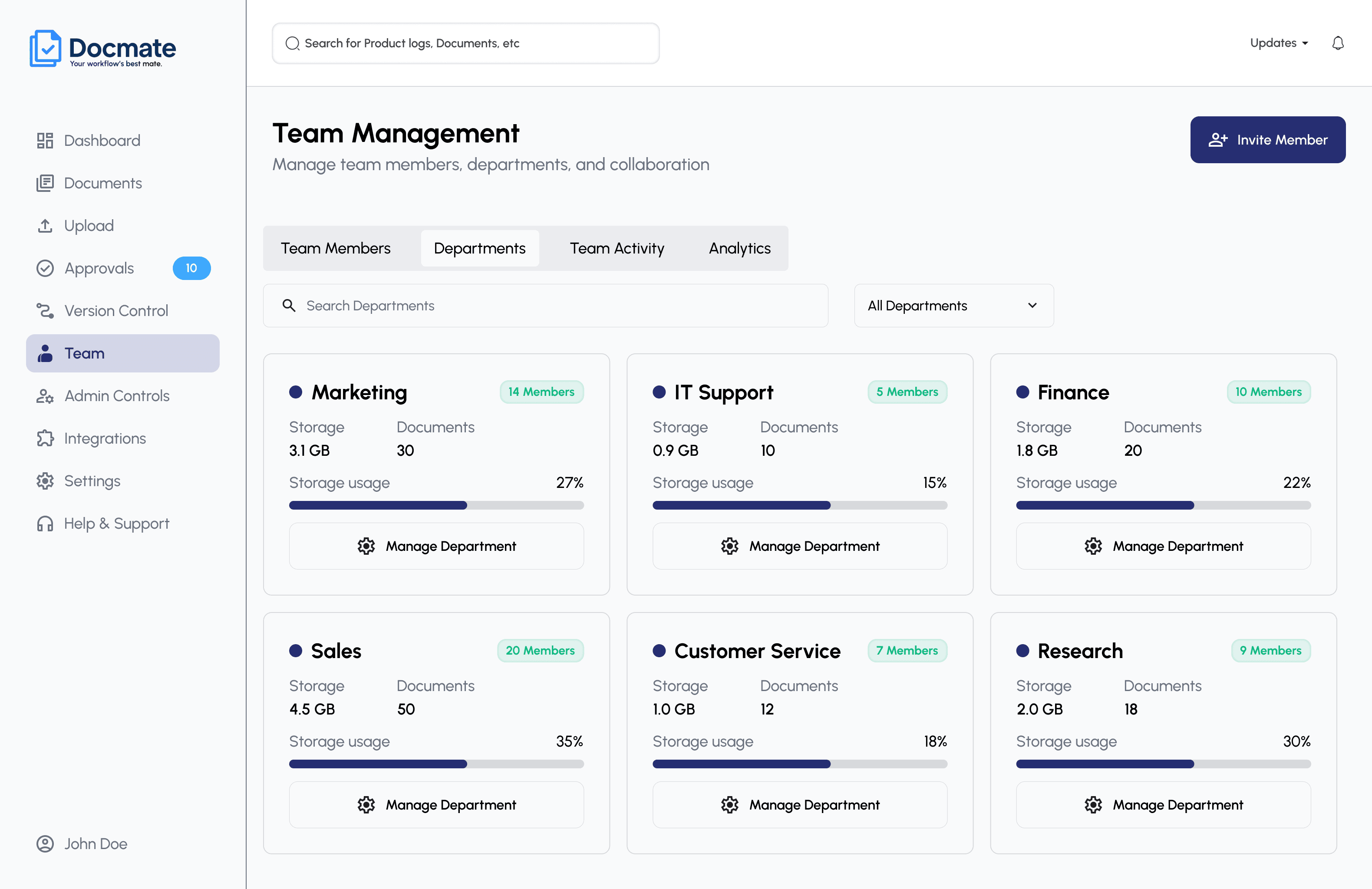
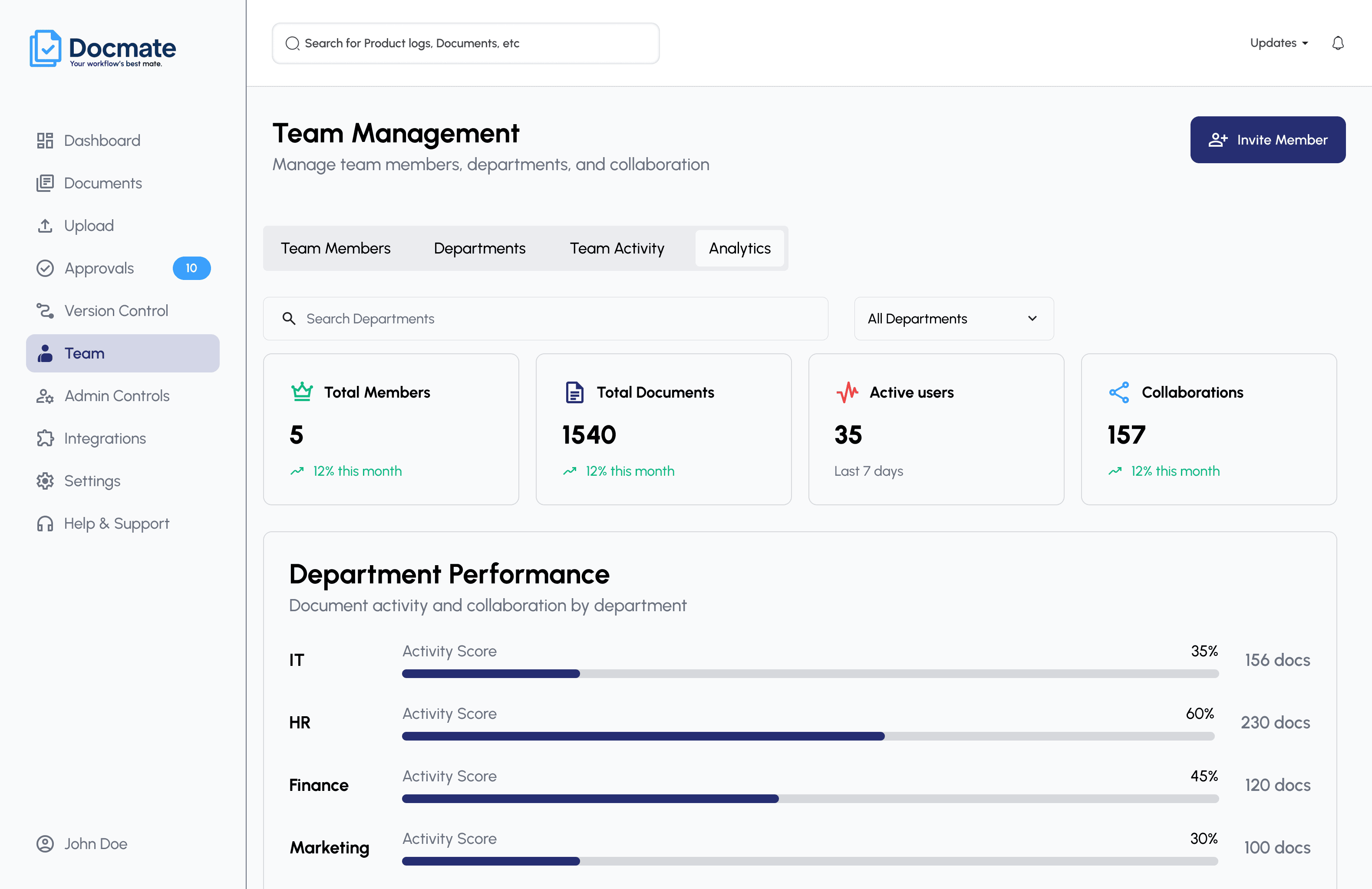
Team & permission management
Users belong to teams, departments, and roles. Permissions determine what each person can view, edit, upload, share, approve, or administrator and the design focus was making that logic transparent rather than inventing exact rules beyond what the product defines.
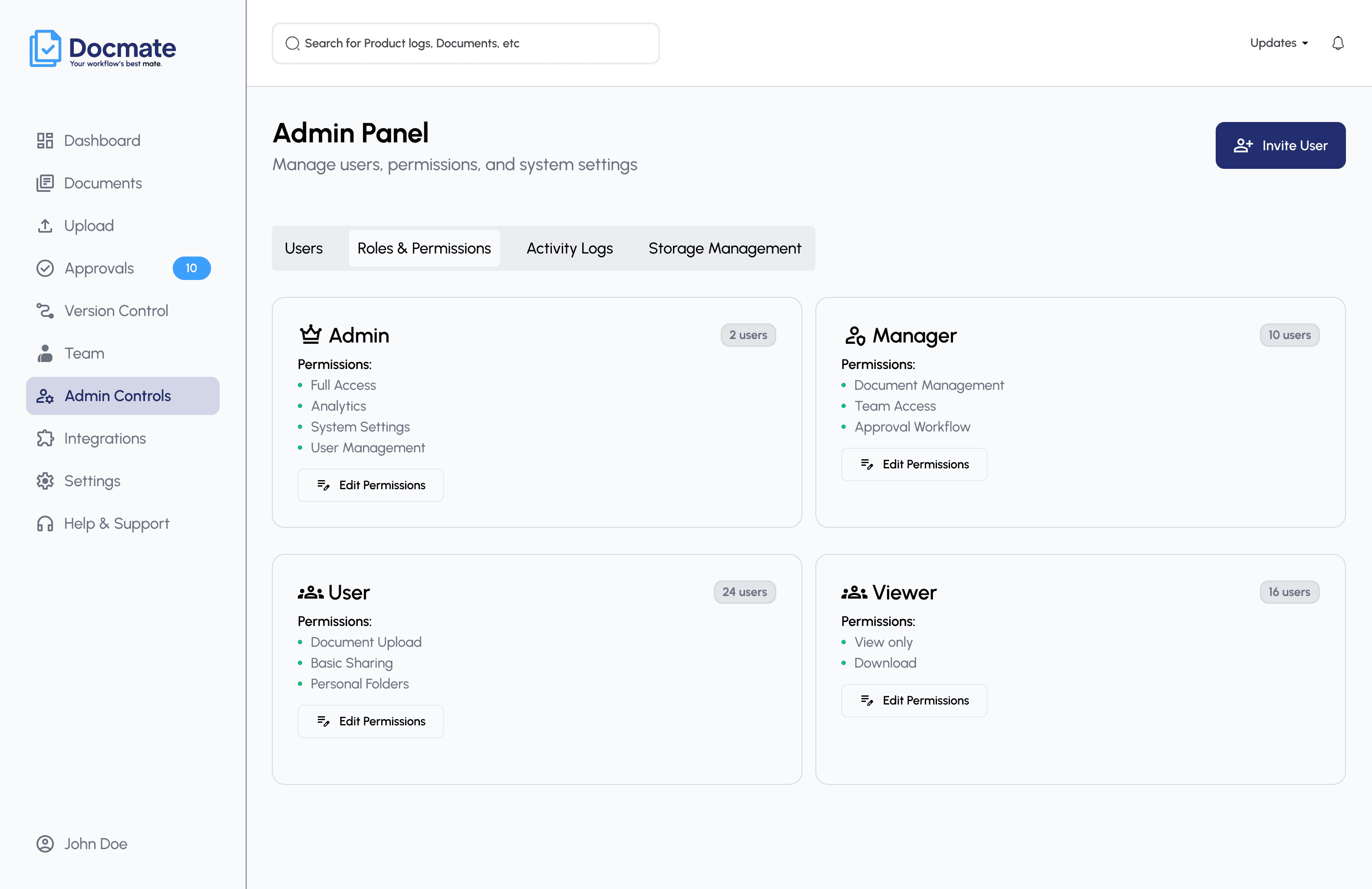
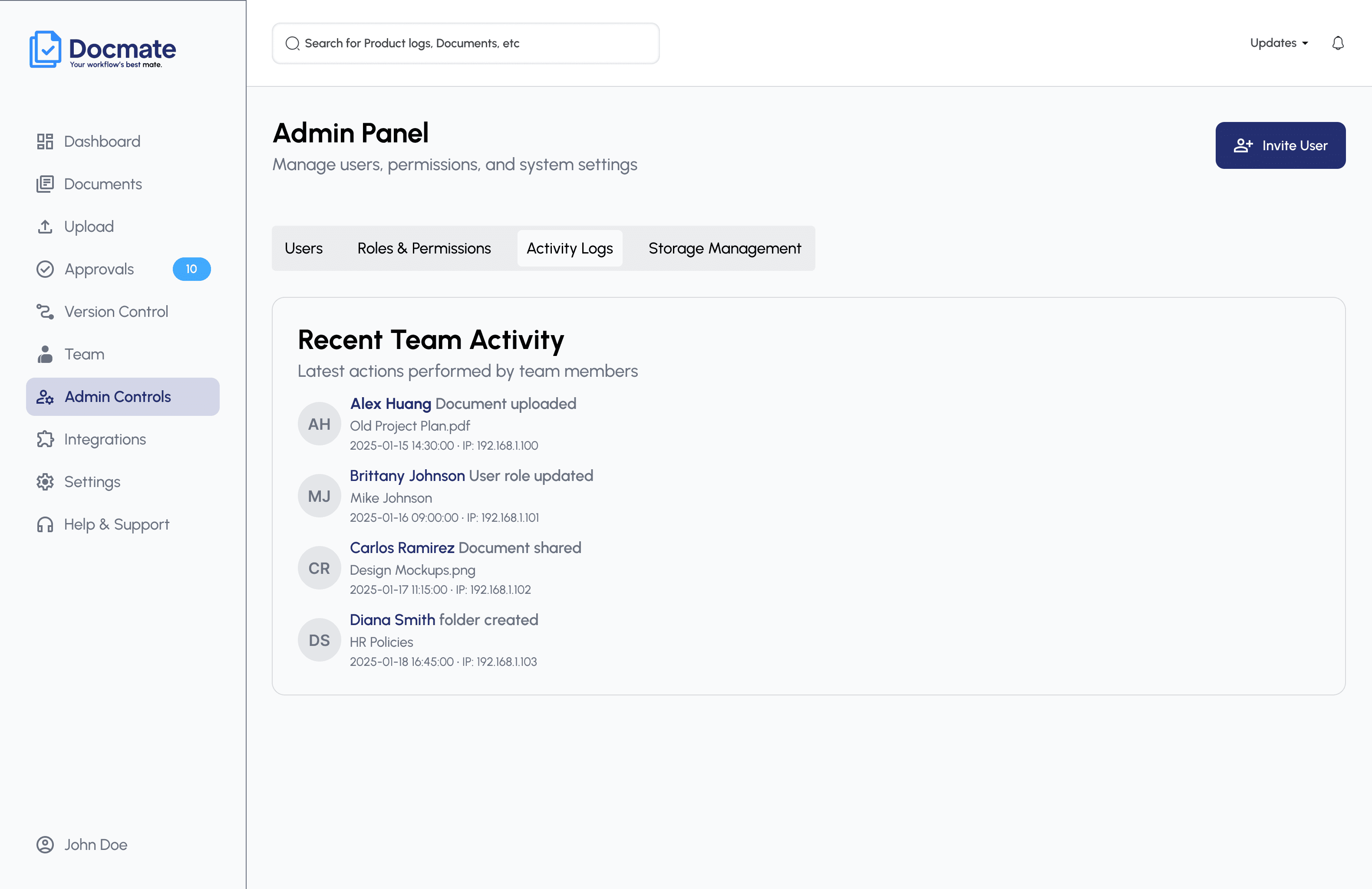
Admin controls
Administrators need system-level control, roles & permissions, activity logs, storage management - without that complexity leaking into the everyday experience of operational users.
Third-party integrations
Enterprise document systems rarely operate in isolation. The integrations experience supports extensibility, connecting external tools and webhooks, while staying understandable to configure, including handling connection failures gracefully.
How structure became product
Two representative examples not every screen, just the workflows where the shift from sketch to system mattered most.
Enterprise uploads need context, not just a file.
Rough single-step form sketch, all fields at once.
Split into progressive steps: selection → metadata → permissions → completion.
A guided, four-step upload flow with clear progress.
Reviewers couldn't tell what needed their attention.
Early sketch mixed pending, completed, and requested items in one list.
Separate Pending / Completed / My requests into distinct, filterable views.
A tabbed approval workspace with reviewer-level clarity.
Five tensions that shaped the product
Simple actions vs. enterprise complexity
Enterprise DMS products are, by nature, full of complex controls.
Keep primary document actions simple while progressively exposing advanced functionality only when needed.
Flexibility vs. permission control
Users need to collaborate freely without compromising sensitive information.
Design role-aware permissions and explicit, visible sharing states rather than implicit access.
Latest version vs. full history
Most users need the latest document; auditors sometimes need full historical context.
Prioritize the current version by default while keeping version history one step away, not hidden.
User autonomy vs. administrative governance
Teams need independence to move fast; organizations need centralized control.
Separate task-level workflows from administrative controls so neither gets in the other's way.
Power vs. usability
Advanced enterprise features can overwhelm non-technical, day-to-day users.
Use progressive disclosure and contextual actions so power is available without being the default view.
More permission steps improve governance but increase workflow friction, a tension worth designing around rather than resolving once.
Custom folder structures give teams freedom but can reduce organization-wide consistency over time.
Enterprise dashboards need to be comprehensive without becoming overwhelming a balance explored throughout the admin and version-control views.
Automated workflows save time, but users still need visibility into document state to trust the system.
Modular components, built for consistency and handoff
AsteraDocs uses its own product identity shown here as reference, not as this page's palette.
Modular components improved consistency, scalability, design speed, and developer handoff across every workflow in the product.
Behavioral patterns, not just visual ones
The design system isn't only components, it establishes predictable behavior across the whole product.
Document, approval, and version states share one visual language, so a status means the same thing everywhere it appears in the product.
Permission logic is expressed consistently across upload, sharing, and admin surfaces. The same visual pattern for “who can do what,” wherever it shows up.
Sensitive actions: delete, share, approve - trigger the same confirmation and toast patterns, building predictable trust across the whole system.
Qualitative outcomes from the project
Designing for scale & versatility
The system supported different enterprise contexts, including operational documentation, HR workflows, and compliance-related use cases.
Simplifying complex workflows
Permissions, approvals, version tracking, and administrative workflows were structured into clearer, task-based experiences.
Usability validation
Usability testing with target users indicated that non-technical users could understand and navigate core document and approval workflows effectively. Feedback resulted in minor UI and interaction refinements.
System thinking
A structured information architecture, reusable components, and modular workflows supported consistency, prototyping, stakeholder collaboration, and implementation.
Enterprise UX requires deep empathy
Understanding multiple user roles, operational, managerial, governance - was essential to building relevant, non-biased workflows for each.
Clear feedback prevents user anxiety
Sensitive actions like deleting, sharing, approving, or managing versions need clear system feedback. Microcopy, toasts, confirmation modals, version labels, and status indicators all build trust.
Modular design pays off
Reusable components, file cards, modals, tag chips, status badges. Improved consistency and made developer handoff smoother, while system thinking and modular workflows helped the product scale across different use cases.
AsteraDocs reinforced that enterprise UX isn't about removing complexity entirely, it's about structuring complexity so users can act with confidence.